
How to turn an audio recording into text
- Choose up to 10 audio or video files above, or drop them on the page. Nothing is uploaded.
- Pick the spoken language and start. The first run downloads a speech model; after that your device transcribes each file in turn.
- Read the transcript, fix any words, and play the audio from a timestamp to check a passage.
- Copy the text, or download it as TXT (plain text), SRT (subtitles with timestamps) or Markdown. A batch downloads as one ZIP.
Example: a 2-minute voice memo
We transcribed our sample memo (MP3, 2:16, one speaker, a scripted recording made for this site) in Chrome on a laptop. Unedited output of the free Fast model on your device. It heard “quit note” for “quick note”: fix words like that in the editor before you export.
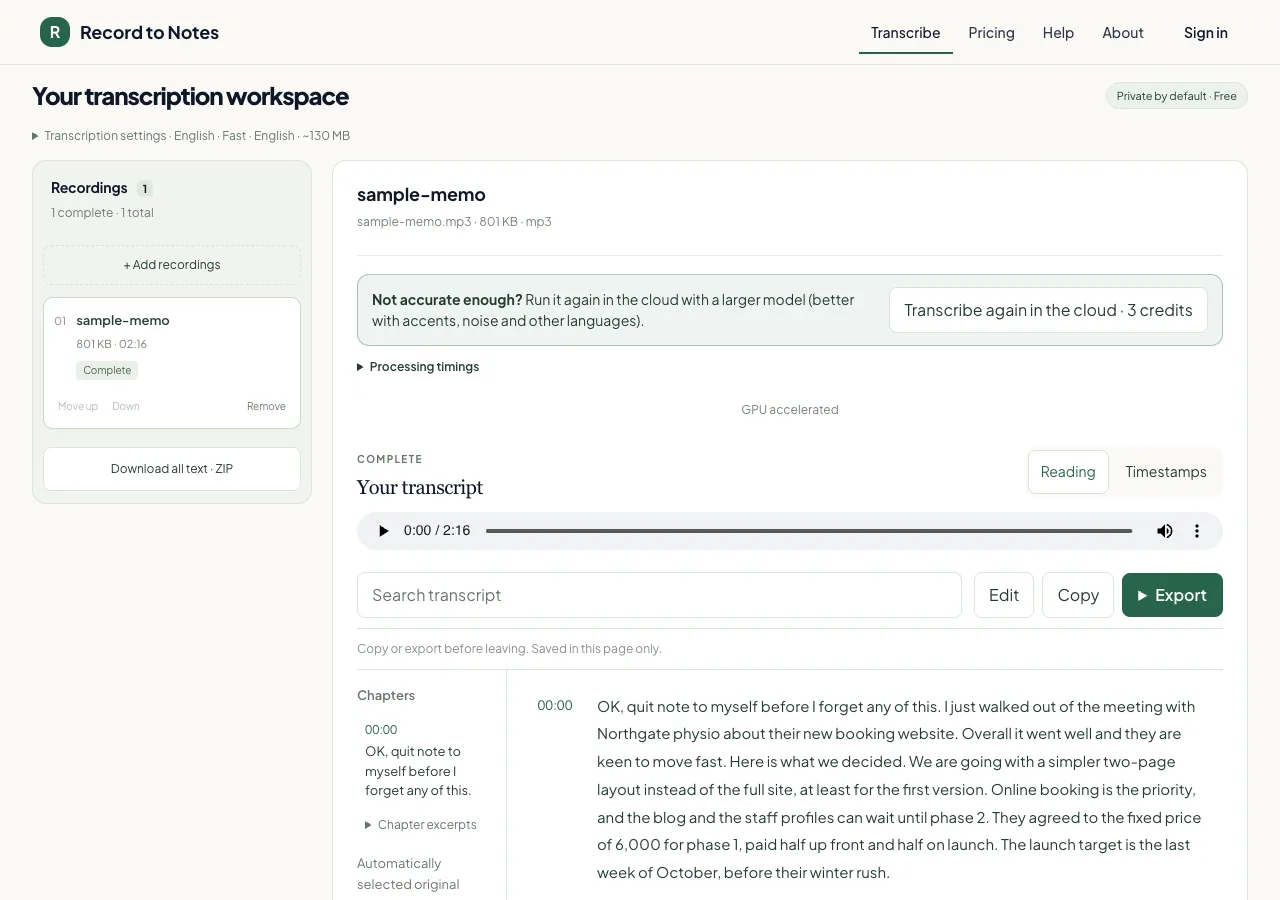
OK, quit note to myself before I forget any of this. I just walked out of the meeting with Northgate physio about their new booking website. Overall it went well and they are keen to move fast. Here is what we decided. We are going with a simpler two-page layout instead of the full site, at least for the first version. Online booking is the priority, and the blog and the staff profiles can wait until phase 2. They agreed to the fixed price of 6,000 for phase 1, paid half up front and half on launch. The launch target is the last week of October, before their winter rush.# sample-memo
[01:58] An automatic reply with the book in link could win back a good chunk of those, and it is maybe a day of work. I will put that in the proposal as a small ad on and see if it lands. Right, that is everything. Next step is the proposal, and I will block out Thursday morning to write it.Formats you can transcribe
- MP3, M4A, WAV, FLAC, OGG, Opus and AAC audio files, from phones, recorders and apps.
- MP4, MOV, WebM and MKV video: the audio track is transcribed, so you get the dialogue as text.
What “no limit” means here
- No usage limit: no daily or monthly minutes, no account, no watermark.
- No duration cap on your device: long and multi-hour recordings are processed in sections. Speed depends on your device and browser.
- 10 files per batch: queue up to 10 recordings at once, then start the next batch.
When to use the cloud instead
For strong accents, noisy rooms or a language other than English, paid cloud transcription runs a much larger model (Whisper large-v3 turbo), detects the language by itself and takes about 3–5 minutes for an hour of audio. It costs 1 credit per minute; see pricing.